Your notes, books, and thoughts.
Connected in one spatial universe.
Drop in PDFs, EPUBs, videos, and notes. ATLAS:Face connects your reading, active recall, spatial cards, and 3D maps into a living body of knowledge you actually own.
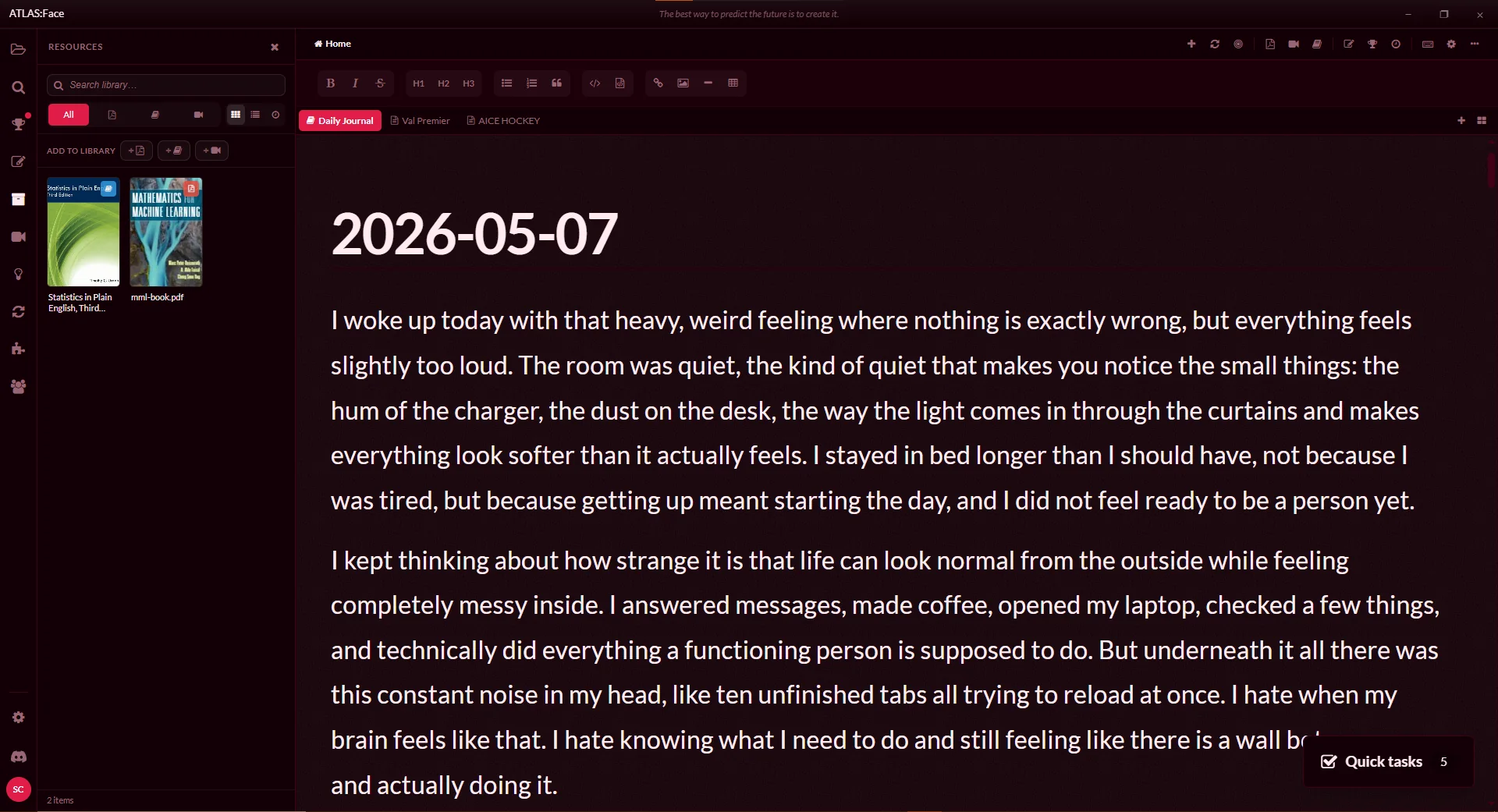
Designed for how your mind actually works
No scattered browser tabs, no proprietary locks. Everything you read, sketch, and learn stays in sync in one desktop application.
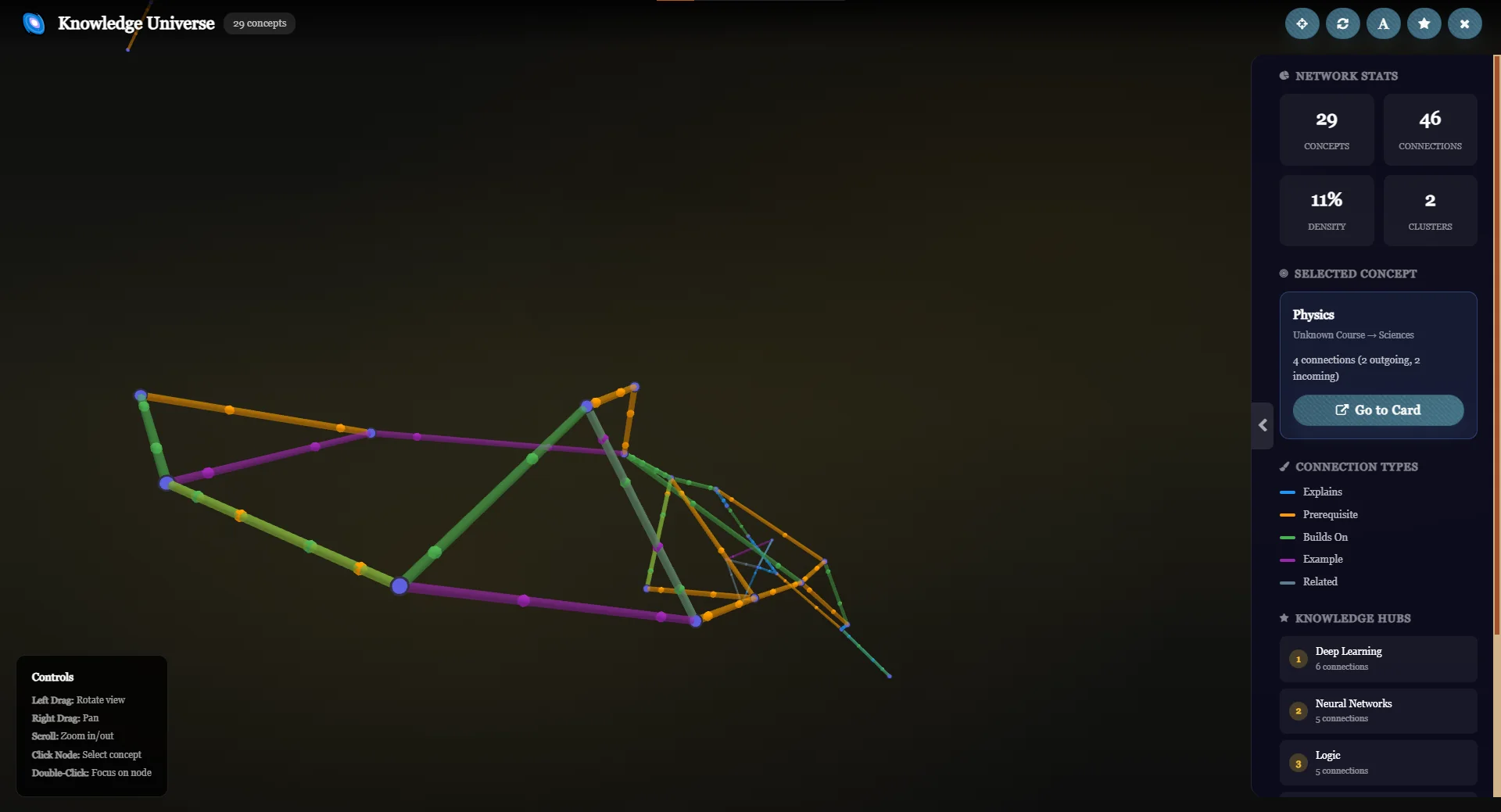
Knowledge Universe Map
Transform isolated documents into a living neural web. Connect books, notes, topics, and flashcards into an interactive map that helps you instantly locate missing links and revisit past insights.
- 3D node graph visualization
- Bi-directional linking between documents & cards
- Cluster discovery by domain or tag
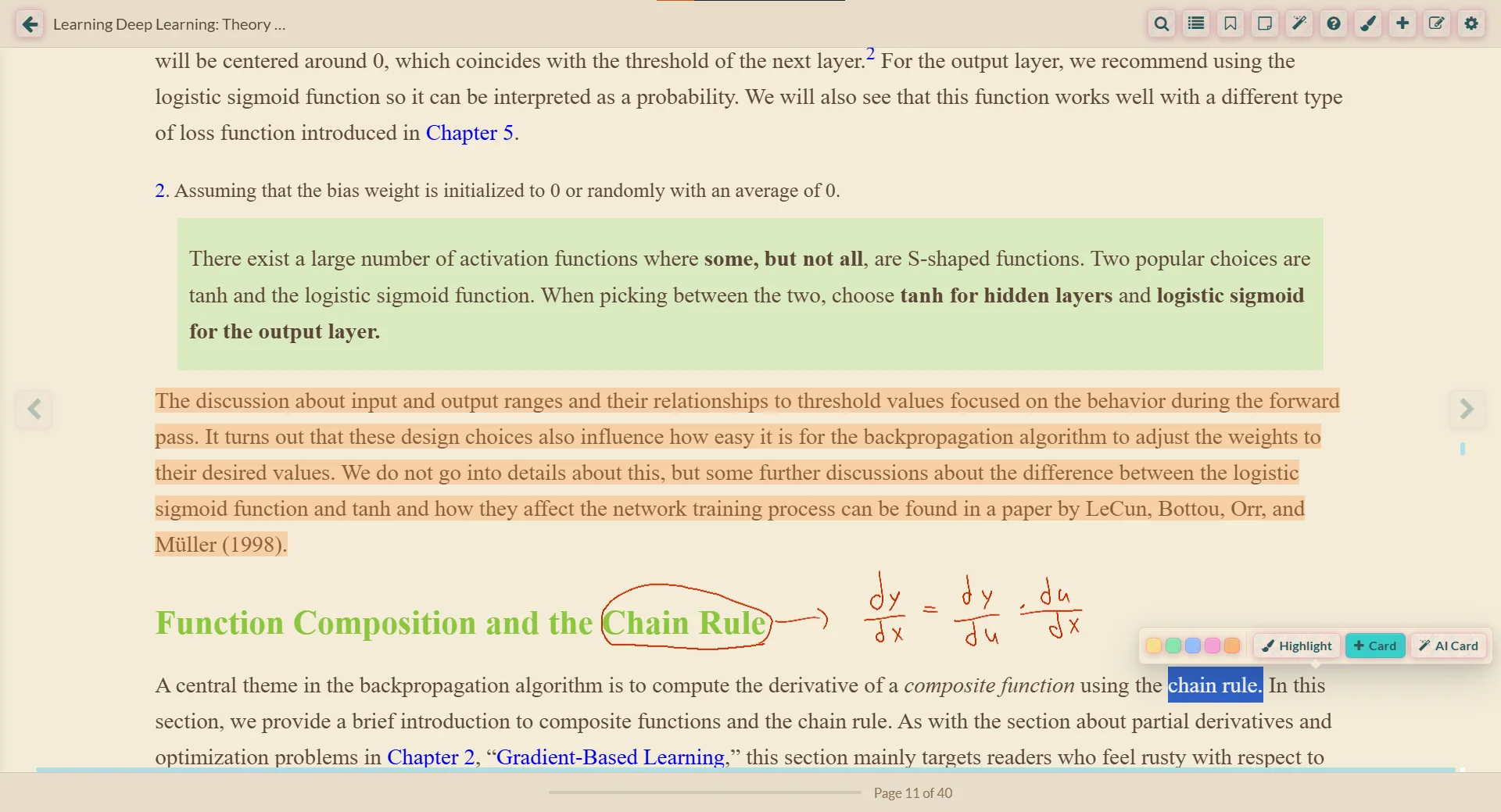
Native PDF & EPUB Reader
Read textbooks, research papers, and books directly inside the workspace. Extract highlights directly into flashcards or notebook margin notes without switching applications.
- Native PDF and EPUB rendering
- Instant highlight-to-card pipeline
- Split-screen side-by-side note taking
Visual Canvas & Drawing
Write, sketch, and diagram freehand alongside your reading material. Combine typed markdown with fluid handwriting for complex concepts that text alone cannot capture.
- Pen & tablet drawing support
- Embedded topic canvas diagrams
- Seamless combination of handwriting and text
Spatial Cards & AI Assistant
Arrange flashcards on a spatial workspace, test your retention, and converse with an AI assistant trained directly on your selected study sources.
- Freeform spatial card arrangement
- Context-aware AI partner for difficult concepts
- Automatic card creation from reading passages
Active Video Learning & AI Quiz
Stop watching videos passively. ATLAS:Face inspects transcripts in real time to generate comprehension checks, key takeaway summaries, and quiz questions as you watch.
- Interactive YouTube video player
- Real-time transcript analysis & AI quizzes
- Timestamped bookmarking directly into notes
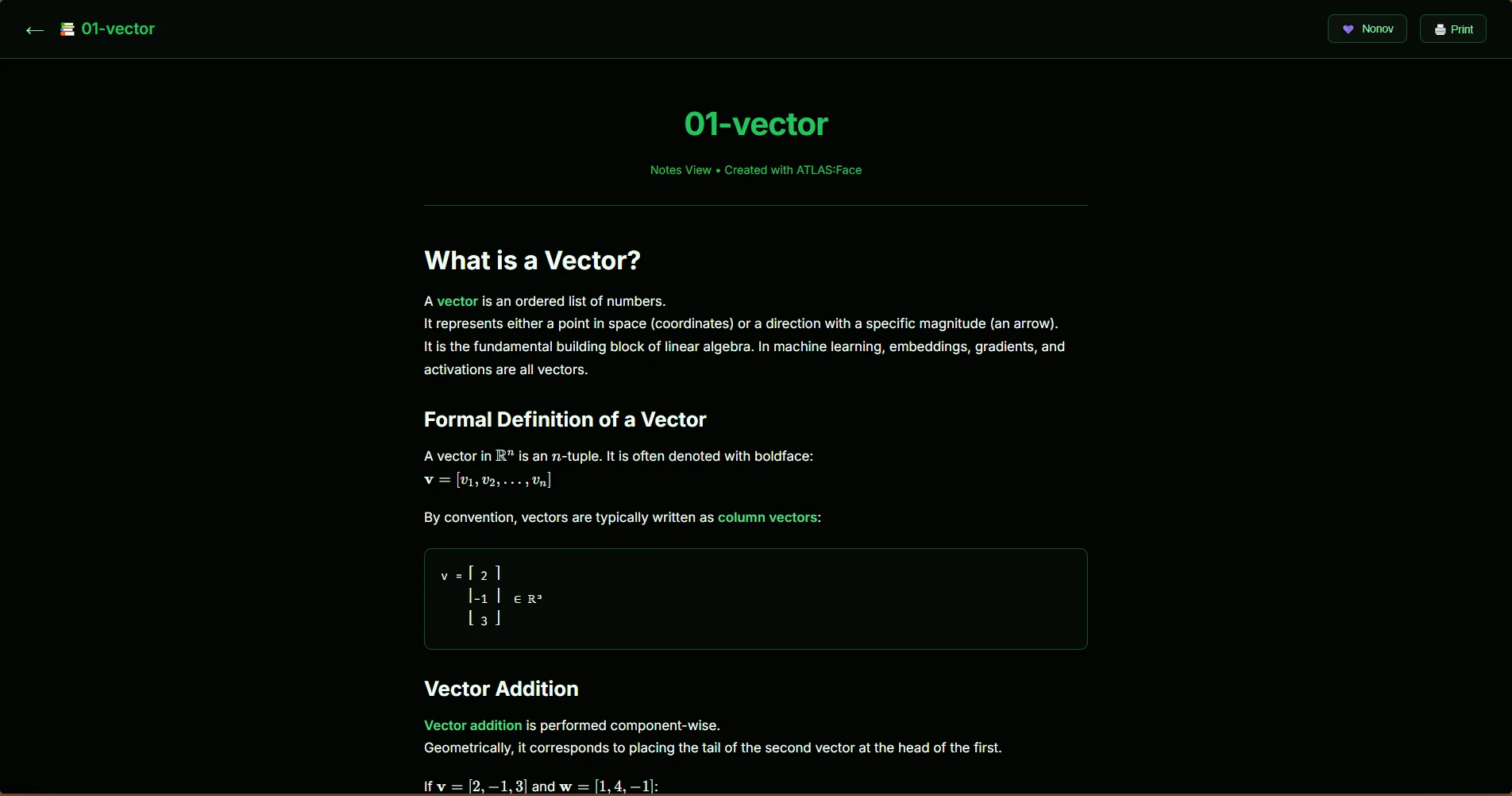
One-Click Web Publishing
Turn any topic, synthesis, or document into a clean, publishable web page. Share your research with colleagues or students without leaving your desktop app.
- Clean web output generation
- Preserves markdown formatting, media, and diagrams
- No complex web hosting configuration required
Everything you need to master complex subjects
Engineered for depth, speed, and long-term retention.
100% Local-First & Private
Your notes, PDFs, and data stay on your device file system. Complete control, zero lock-in, and offline reliability.
Spaced Repetition (SRS)
Built-in review scheduling ensures what you learn today stays accessible in long-term memory months from now.
Exam & Quiz Generator
Generate practice tests automatically from selected topics to test your comprehension under exam-like conditions.
Plugins & Marketplace
Extend ATLAS:Face with custom plugins, community-created study packs, and specialized research tools.
Custom Routines & Planning
Organize daily study goals, track review streaks, and maintain steady momentum across long-term research projects.
Free & Open-Minded
No paywalls for core learning tools. The application is completely free to use on desktop forever.
Join the ATLAS:Face Community
Share study decks, suggest features, test new builds, and discuss learning workflows directly with the developers and other researchers.
Get ATLAS:Face
Run instantly in your web browser or install the high-performance local application for desktop and mobile.